
How to Install IPTV on Any Device
Get connected instantly! Our step-by-step guide makes setting up your IPTV service fast and hassle-free on any device—from Smart TVs and Android Boxes to mobiles and PCs. Start streaming high-quality content in minutes!
🔹 Step 1: Open Amazon App Store
- Turn on your Firestick.
- Go to the Find option.
- Click Search.
🔹 Step 2: Install Downloader App
- Type Downloader.
- Select the Downloader app.
- Click Download or Get.
App Name: Downloader
Available on Amazon App Store
🔹 Step 3: Enable Unknown Sources
- Go to Settings.
- Select My Fire TV.
- Click Developer Options.
- Enable Apps from Unknown Sources.
🔹 Step 4: Open Downloader
- Launch the Downloader app.
- Allow permissions if asked.
🔹 Step 5: Enter Download Code or URL
- Enter the URL or code provided by your IPTV service.
(Contact us on WhatsApp to get your download link or code)
🔹 Step 6: Install IPTV App
After entering the code or URL, download and install your IPTV app.
🔹 Step 7: Login and Start Watching
Open the app and login with your IPTV details to start streaming.
⚠️ Troubleshooting
- Check your internet connection
- Make sure URL or code is correct
- Restart your Firestick
💡 Tips
- Use high-speed internet for smooth streaming
- Keep your Firestick updated
- Contact support if needed
🔹 Step 1: Open LG Content Store
- Turn on your LG Smart TV.
- Press the Home button on your remote.
- Open LG Content Store.
🔹 Step 2: Install HOT Player
- Go to the search bar.
- Type HOT Player.
- Select the app and click Install.
App Name: HOT Player
Available on LG Content Store
🔹 Step 3: Open the App
- Launch HOT Player after installation.
- You will see login options.
🔹 Step 4: Login with Xtream Codes
- Select Xtream Codes Login.
- Enter your IPTV details:
Server URL: http://your-server-url.com
Username: XXXXX
Password: XXXXX
🔹 Step 5: Start Watching
After login, channels and movies will load automatically.
⚠️ Troubleshooting
- Check your internet connection
- Verify login details
- Restart the app
💡 Tips
- Use a stable internet connection
- Keep your TV updated
- Contact support if needed
🔹 Step 1: Open App Store on Apple TV
- Turn on your Apple TV.
- Go to the App Store.
- Use the search option.
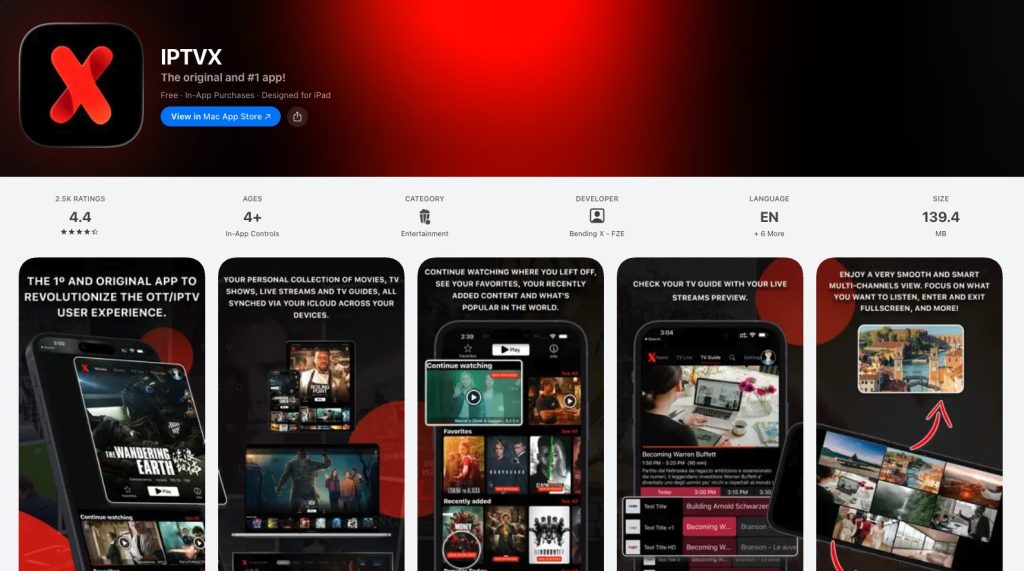
🔹 Step 2: Install IPTVX App
- Type IPTVX in the search bar.
- Select the app.
- Click Get or Install.
App Name: IPTVX
Available on Apple TV App Store
🔹 Step 3: Open IPTVX
- Launch the IPTVX app after installation.
- Select Add Playlist.
🔹 Step 4: Login with Xtream Codes
- Select Xtream Codes Login.
- Enter your IPTV details:
Server URL: http://your-server-url.com
Username: XXXXX
Password: XXXXX
🔹 Step 5: Start Watching
After login, channels and VOD will load automatically.
⚠️ Troubleshooting
- Check your internet connection
- Verify your login details
- Restart the app if needed
💡 Tips
- Use high-speed internet for best streaming
- Keep the app updated
- Contact support if needed
🔹 Step 1: Open App Store
- Turn on your Smart TV (Samsung or LG).
- Go to the App Store (Samsung Store / LG Content Store).
- Use the search option.
🔹 Step 2: Install IPTV App
- Search for IBO Player or IPTV Smarters Pro.
- Select the app.
- Click Install.
Apps: IBO Player / IPTV Smarters Pro
Available on Smart TV App Store
🔹 Step 3: Open the App
- Launch the app after installation.
- You will see login or upload options.
🔹 Step 4: Login / Upload Playlist
- Choose Xtream Codes Login OR M3U Playlist.
- Enter your IPTV details:
Server URL: http://your-server-url.com
Username: XXXXX
Password: XXXXX
OR (for IBO Player)
Upload your playlist using MAC address on the IBO Player website
🔹 Step 5: Start Watching
After login or upload, channels and VOD will load automatically.
⚠️ Troubleshooting
- Check internet connection
- Verify login details
- Restart the app or TV
💡 Tips
- Use stable internet for best performance
- Keep your TV updated
- Contact support if needed
🔹 Step 1: Connect Your Device
- Connect your MAG device to your TV using HDMI.
- Connect to the internet (Wi-Fi or Ethernet).
- Turn on your device.
🔹 Step 2: Find MAC Address
- Go to Settings
- Open System Settings
- Click Network → Information
- Copy your MAC Address
👉 Example: 00:1A:79:XX:XX:XX
🔹 Step 3: Activate Subscription
- Login to your account on our website
- Enter your MAC address
- Wait for activation
🔹 Step 4: Add Portal URL
- Go to Settings
- Select System Settings
- Open Servers → Portals
- Enter Portal Name (Example: My IPTV)
- Enter Portal URL
(Contact us on WhatsApp to get your Portal URL)
- Click Save
🔹 Step 5: Restart Device
Restart your MAG device and wait for channels to load.
⚠️ Troubleshooting
- Check internet connection
- Verify Portal URL
- Make sure MAC is activated
- Restart device
💡 Tips
- Use Ethernet for better performance
- Keep device updated
- Contact support if needed
How does it work? IPTV SMARTERS PRO
Get your IPTV SMARTERS PRO subscription in 3 easy steps. Choose the right IPTV subscription, complete the payment, and receive your login details. Within minutes you can enjoy your favorite programs

We Offer You A Complete IPTV Subscription Experience
Enjoy uninterrupted IPTV DUBAI with an IPTV subscription from IPTV Smarters PRO. Choose from subscriptions for 1, 3, 6 or 12 months and experience continuous entertainment for you and your family with our IPTV DUBAI subscription . Your gateway to endless viewing pleasure starts here with our IPTV SMARTERS PRO subscriptions.
More Than 30,500 Channels With Our IPTV Smarters Pro
Unlock a world of entertainment with IPTV SMARTERS PRO subscription , now with over 30,500 channels for the ultimate viewing experience. With IPTV SMARTERS PRO you can enjoy the best range of channels and the most complete Netherlands IPTV subscription experience.

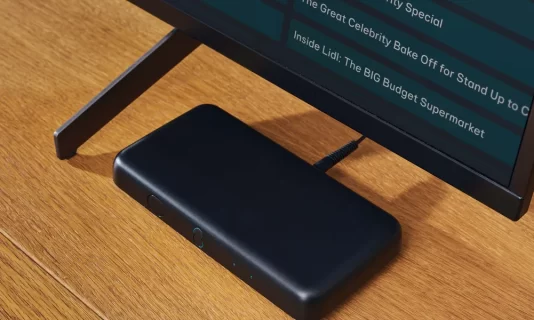
Live TV With IPTV Smarters Pro and TV Guide (EPG)
With a IPTV DUBAI subscription from IPTV SMARTERS PRO you get access to an extensive TV guide (EPG), live TV, and replay options. This means you no longer need a traditional TV subscription. Choose to buy an IPTV subscription and enjoy the convenience of watching ahead and rewatching your favorite programs whenever it suits you.
Enjoy more TV fun with our premium IPTV subscription – IPTV tashantv Subscription!
Subscribe now and receive your tashantv Details immediately, without any obligations, from the best IPTV DUBAI subscription with tashantv !